Most small businesses do not need more AI hype. They need a clearer answer to a much simpler question:
What can AI actually help us automate?
The short answer is this:
That might include things like sorting enquiries, summarising documents, drafting routine replies, extracting information from forms or emails, preparing follow-ups, or turning messy information into something structured.
What AI usually should not do on its own is make high-stakes decisions, handle sensitive customer situations without oversight, or replace human judgement where context really matters.
That is why the real opportunity is not "automate the whole business".
It is:
identify the repetitive work, keep people involved where needed, and use AI where it genuinely removes friction.
What AI automation really means
When business owners hear "automation", they often picture something very technical or expensive.
In practice, automation can sit on a spectrum.
| Type of work | Best fit | Example |
|---|---|---|
| Simple, fixed, rules-based work | Traditional automation | Send an invoice reminder 7 days after due date |
| Repetitive work involving interpretation | AI-assisted automation | Categorise incoming enquiries by topic or urgency |
| High-context, high-risk decisions | Human-led work | Approving refunds, hiring decisions, legal judgement |
A helpful way to think about it is this:
- Traditional automation follows clear rules
- AI helps with messy or unstructured information
- Humans stay involved where judgement, nuance, accountability, or relationship matter
Small businesses usually need a mix of all three.
The easiest way to spot good AI opportunities
If a task requires a person to repeatedly:
- read and understand messages
- pull out key information
- classify or sort requests
- summarise notes or documents
- draft a first response
- move unstructured information into a structured format
- decide what should happen next based on common patterns
AI may be a strong fit.
If a task depends on:
- sensitive judgement
- unclear rules
- exceptions every time
- emotional nuance
- legal or financial liability
- trust-based communication
- final approval
AI may still support the process, but it should not own the decision.
What AI can automate in a small business
Here are some of the most practical and realistic use cases.
1. Enquiry triage and lead qualification
Many small businesses receive enquiries through email, forms, WhatsApp, or social channels.
Someone then has to read each message and work out:
- what the person wants
- whether the lead is a fit
- which service it relates to
- how urgent it is
- who should respond
- what happens next
AI can help by:
- classifying enquiries by category
- spotting intent or urgency
- extracting names, contact details, locations, or service needs
- sending the enquiry to the right person or workflow
- suggesting a response draft
- flagging poor-fit leads early
Practical example
A service business receives 20 enquiries a week. Some are good leads, some are outside scope, and some are support requests from existing clients. AI can help separate those quickly so the team spends less time sorting and more time responding properly.
2. Admin-heavy follow-up
A surprising amount of business admin is not complex. It is just repetitive.
For example:
- follow up with new leads who have not booked
- remind clients about missing information
- send a next-step email after a meeting
- chase incomplete onboarding steps
- confirm bookings or appointments
- trigger reminders before deadlines
Traditional automation can handle part of this. AI becomes useful when the workflow needs a bit more flexibility or personalisation.
AI can help:
- draft tailored follow-up emails
- choose the right template based on context
- summarise previous interactions before the next step
- suggest a message tone based on the situation
- personalise outreach using existing information
3. Customer support first responses
Small businesses often lose time answering the same questions repeatedly.
Examples include:
- pricing questions
- booking questions
- delivery times
- refund policies
- required documents
- onboarding steps
- product availability
AI can support this by:
- suggesting first-response drafts
- powering a help assistant for common questions
- routing complex requests to a human
- retrieving relevant information from your documentation
- summarising the issue before handoff
This works best when:
- your business already has clear answers to common questions
- the request is low-risk
- a person can step in when needed
This works worst when:
- the policy is unclear
- the issue is emotional or sensitive
- the customer is already frustrated
- the request needs judgment rather than information
4. Document and email summarisation
A lot of business time disappears into reading.
Long email chains. Client notes. Supplier correspondence. Meeting transcripts. PDFs. Forms. Proposals. Reports.
AI can help by:
- summarising long threads
- identifying action points
- pulling out deadlines or decisions
- extracting structured information from messy documents
- highlighting what needs attention first
Practical example
Instead of asking someone to read a long client email and manually note the key actions, AI can create a short summary with the required next steps, saving time and reducing the chance that something gets missed.
5. Meeting notes and internal handoffs
Many teams take notes in one place, then manually turn those notes into tasks, follow-ups, and updates somewhere else.
AI can help by:
- turning meeting notes into action lists
- drafting follow-up emails
- assigning actions by person or team
- creating summaries for people who were not in the meeting
- extracting decisions, risks, and next steps
This is often one of the easiest wins because the value is obvious and the risk is relatively low.
6. Reporting and recurring updates
Plenty of small businesses spend time every week or month pulling together the same updates:
- sales summaries
- pipeline updates
- campaign performance notes
- support trends
- project status summaries
- operational snapshots
AI can help by:
- summarising data into plain-English updates
- spotting patterns or anomalies
- drafting commentary for reports
- combining information from multiple sources
- turning raw notes into a useful summary
It is especially useful when someone currently spends time writing the same kind of update over and over again.
7. Content drafting and repurposing
AI is often overused for content, but it can still be genuinely useful when handled properly.
For example, AI can help:
- draft a first version of an email
- repurpose notes into a short post
- turn a webinar or meeting into a summary
- create rough outlines for articles
- adapt one message for different channels
- rewrite content into simpler language
The caution here is obvious.
Publishing unedited AI content is rarely a good idea.
But using AI to reduce blank-page time and speed up the first draft can be valuable.
8. Internal knowledge retrieval
In many businesses, the answer exists somewhere, but nobody can find it quickly.
Maybe it lives in:
- old emails
- SOPs
- internal docs
- proposal templates
- policy documents
- client notes
- team folders
AI can help people search and retrieve information more naturally, especially when the business has accumulated useful information but no easy way to access it.
This can reduce interruptions like:
- "Do we already have a template for this?"
- "Where is the latest process?"
- "What did we agree with this client last time?"
- "Which document explains this?"
What AI should usually not automate on its own
This is just as important as knowing what it can automate.
AI should not usually be left to fully handle:
Final business decisions
Examples:
- approving major spend
- making hiring decisions
- signing off legal language
- deciding disciplinary action
- making financial commitments
Sensitive or emotional customer situations
Examples:
- complaints
- disputes
- cancellations
- escalations
- vulnerable clients
- reputation-sensitive interactions
Work with unclear rules
If your team cannot clearly explain how a task should be done, AI is unlikely to fix that confusion by itself.
High-risk outputs without review
Examples:
- contracts
- compliance-heavy communications
- medical, legal, or financial advice
- public-facing claims that must be accurate
AI can support these areas, but not replace responsible review.
The difference between AI automation and workflow improvement
A common mistake is trying to apply AI too early.
A better sequence is:
- identify the work
- simplify the workflow
- remove obvious friction
- standardise what can be standardised
- then decide where AI fits
If the underlying process is messy, AI can make the mess faster, not better.
That is why it helps to ask:
- What actually happens today?
- Where does work slow down?
- Where are people repeating effort?
- What information already exists digitally?
- Which steps are rules-based?
- Which steps require interpretation?
- Which steps require judgment?
If you have not mapped the work yet, start there first.
If that sounds familiar, you may want to read 7 Signs Your Business Has a Workflow Problem, Not a People Problem.
A simple test: is this task a good fit for AI?
Use this quick filter.
Good fit for AI
- happens often
- follows a recognisable pattern
- begins with digital information
- requires reading, sorting, summarising, drafting, or extracting
- still takes staff time every week
- errors or delays are usually caused by overload, not complexity
Better fit for traditional automation
- rules are fixed
- inputs are structured
- the same thing happens every time
- no interpretation is needed
- timing or triggers matter more than language
Better kept human-led
- stakes are high
- context changes every time
- the situation is sensitive
- accountability matters
- trust and judgement are central
Common small-business examples
Here is a practical summary.
| Business area | What AI can help with | What should still stay human |
|---|---|---|
| Sales | sorting enquiries, drafting replies, summarising calls, follow-up prompts | qualification nuance, relationship-building, final proposals |
| Admin | extracting data, sending reminders, preparing drafts, summarising documents | exception handling, approvals, unusual cases |
| Customer service | common-question responses, issue classification, handoff summaries | escalations, complaints, sensitive support |
| Finance admin | invoice follow-up drafts, extracting bill data, document summaries | final approvals, accounting judgement, compliance sign-off |
| Operations | job routing, checklist generation, update summaries, internal notes | decisions with delivery, service, or quality risk |
| HR/admin | onboarding information, policy retrieval, admin communication drafts | hiring decisions, performance issues, people management |
A realistic example
Imagine a small agency or consultancy.
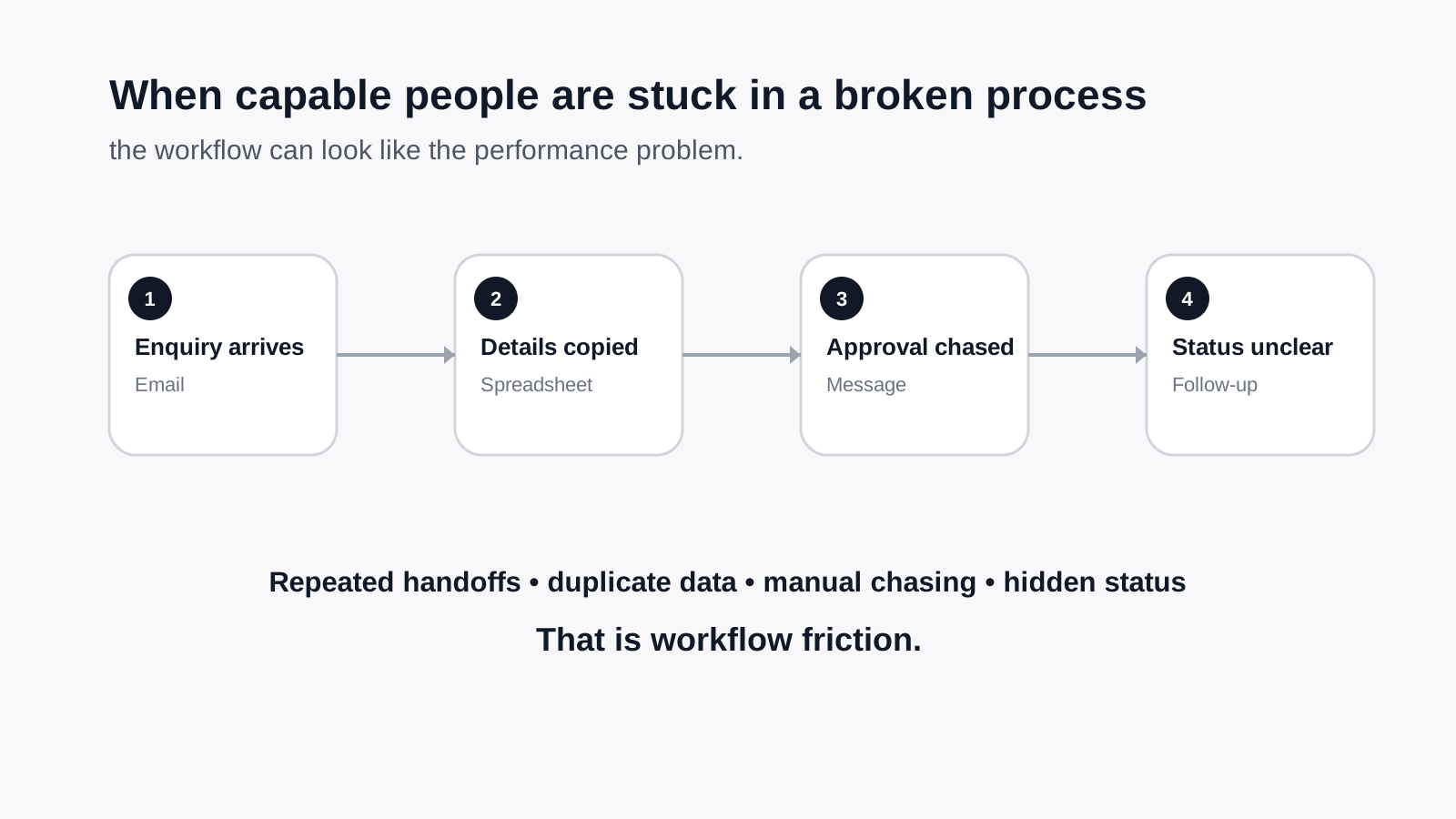
Every new enquiry currently goes through this process:
- someone reads the enquiry
- they identify the service requested
- they copy details into a system
- they decide whether it is a fit
- they reply with next steps
- they chase missing information if needed
- they update the team
AI could help with steps 1, 2, 3, 5, and part of 6.
A person should probably still handle step 4, especially if fit depends on judgement, capacity, or commercial nuance.
That is a much more sensible use of AI than trying to hand the whole process to a bot.
The biggest mistake to avoid
The biggest mistake is asking:
"Where can we use AI?"
before asking:
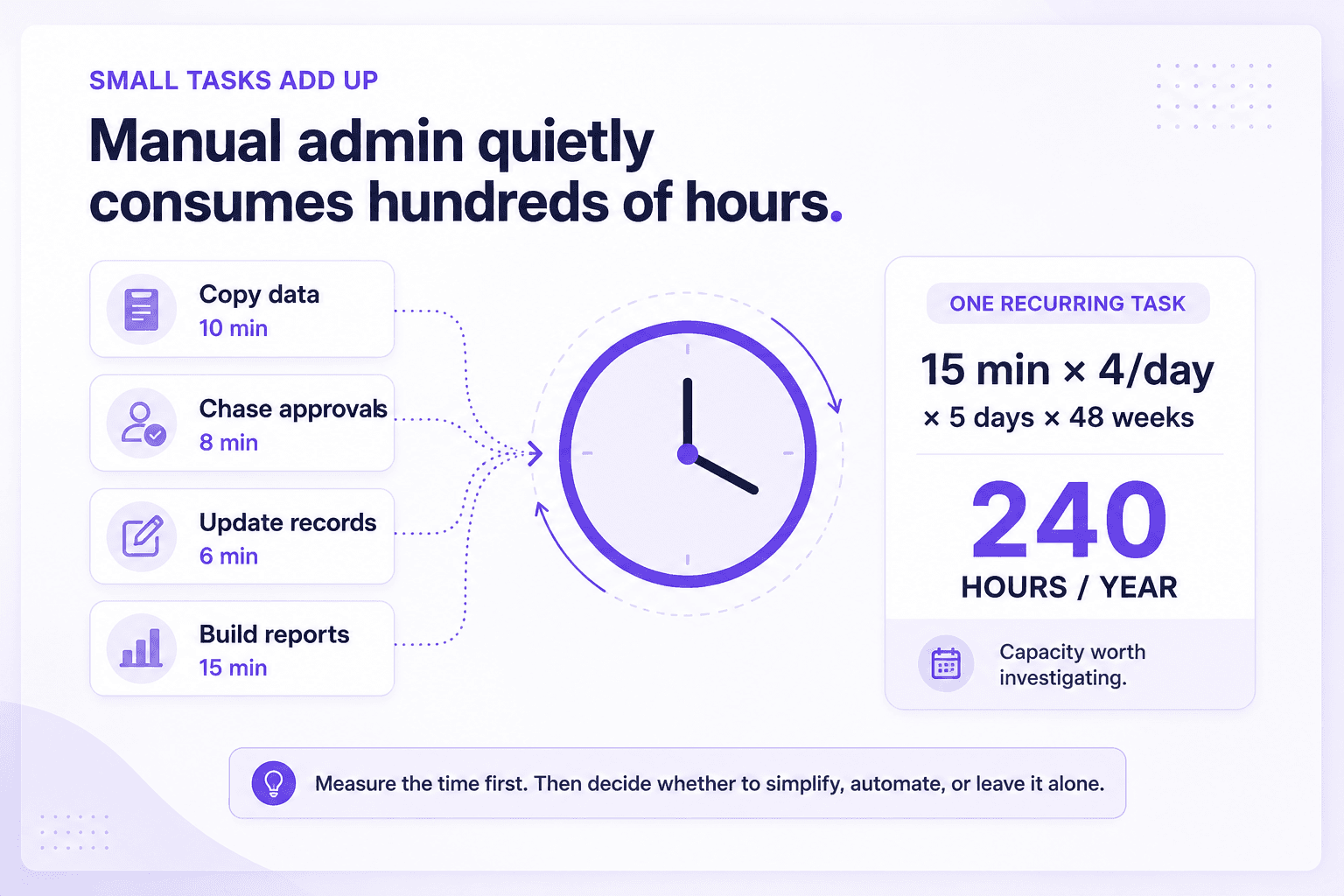
"Where is work currently too manual, too repetitive, too slow, or too fragile?"
AI is not the starting point.
The work is.
If a process is already unclear, inconsistent, or reliant on hidden knowledge, AI may amplify the problem rather than solve it.
Frequently asked questions
Can AI automate my whole business?
No. It can help automate parts of your business, especially repetitive digital work, but most businesses still need human review, judgement, and accountability in key areas.
What is the easiest place to start with AI in a small business?
Usually one of these:
- enquiry triage
- follow-up admin
- meeting summaries
- document summarisation
- recurring reporting
- common customer support questions
These are easier because they are repetitive and easier to define.
Do I need expensive software to use AI?
Not necessarily. In many cases, the opportunity is not about buying a large system. It is about improving a workflow, connecting existing tools, and applying AI in a very specific place where it saves meaningful time.
Will AI replace my staff?
In most small businesses, AI is more useful as a support layer than a replacement. It reduces repetitive work, speeds up routine tasks, and helps people focus on higher-value work.
How do I know whether a task is a good AI candidate?
Ask:
- is it repetitive?
- is it digital?
- does it involve reading, sorting, summarising, or drafting?
- does it happen often enough to matter?
- can a human still review the result where needed?
If the answer is mostly yes, it is worth exploring.
The practical takeaway
AI can absolutely help a small business.
But the best opportunities are usually less dramatic than people expect.
It is not about replacing your team.
It is about reducing avoidable admin, making workflows smoother, and helping good people spend less time on repetitive work.
If you want a practical view of where AI could actually help in your business, the allmi AI Efficiency Assessment is designed to identify the friction, prioritise the best opportunities, and recommend where automation or AI is genuinely worth implementing.