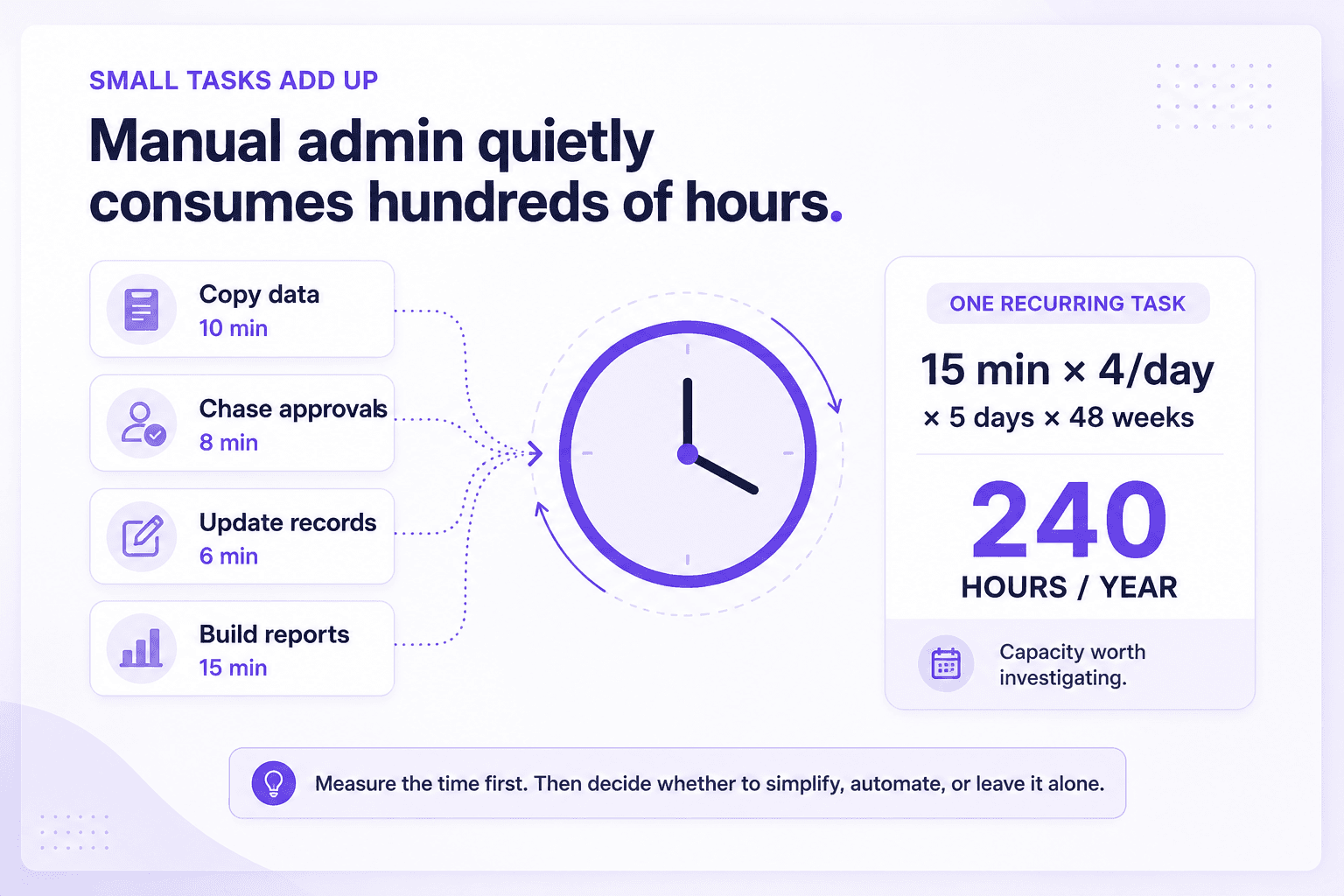
When work keeps getting delayed, duplicated or dropped, the instinct is often to blame the person doing it.
But sometimes the person is not the problem.
The real problem is the way the work moves through the business.
A workflow problem happens when a task depends on too many manual steps, handoffs, reminders, tools or decisions to move smoothly from start to finish. The result can look like poor performance even when the people involved are capable and trying hard.
What is a workflow problem?
A workflow is simply the path a piece of work follows.
For example:
New enquiry → qualification → quote → approval → invoice → delivery → follow-up
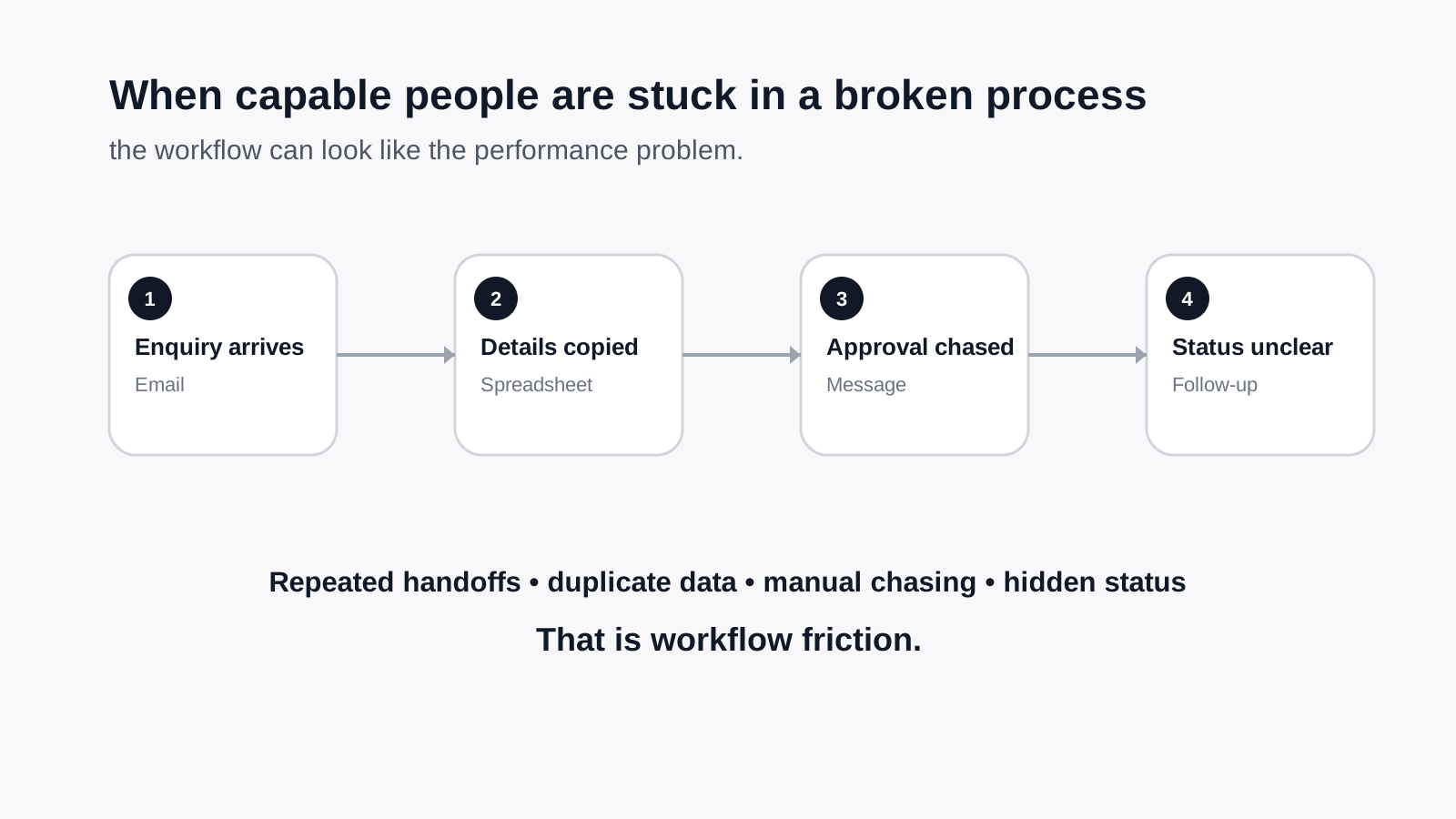
If that path depends on someone remembering to copy information into three systems, message a colleague, update a spreadsheet, chase an approval and manually send the next email, the workflow is carrying a lot of friction.
That friction usually shows up as:
- delays
- repeated admin
- missed follow-ups
- inconsistent customer experiences
- duplicated work
- avoidable errors
- employees feeling permanently busy
The important distinction is this:
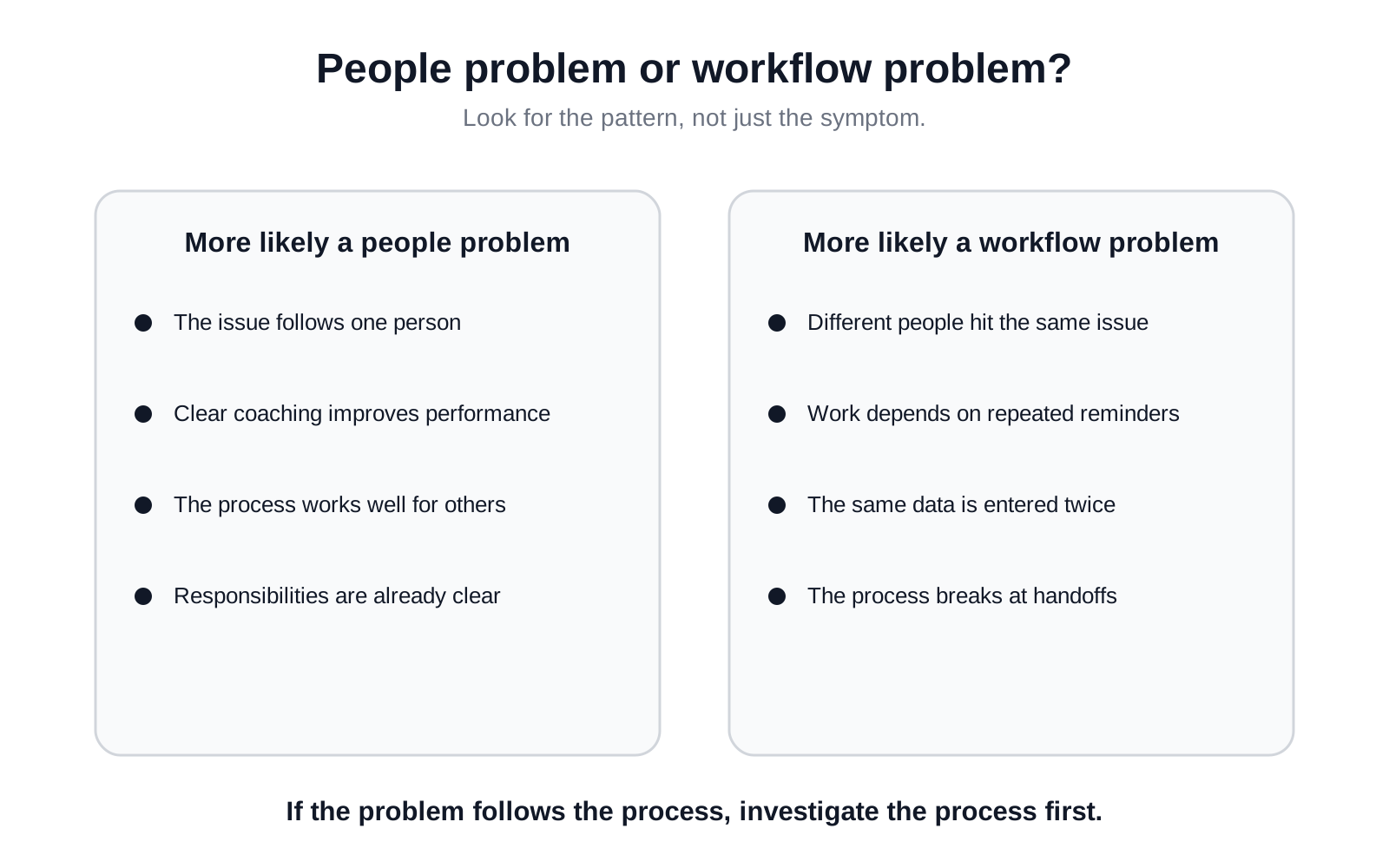
A people problem tends to follow one person. A workflow problem tends to follow the process.
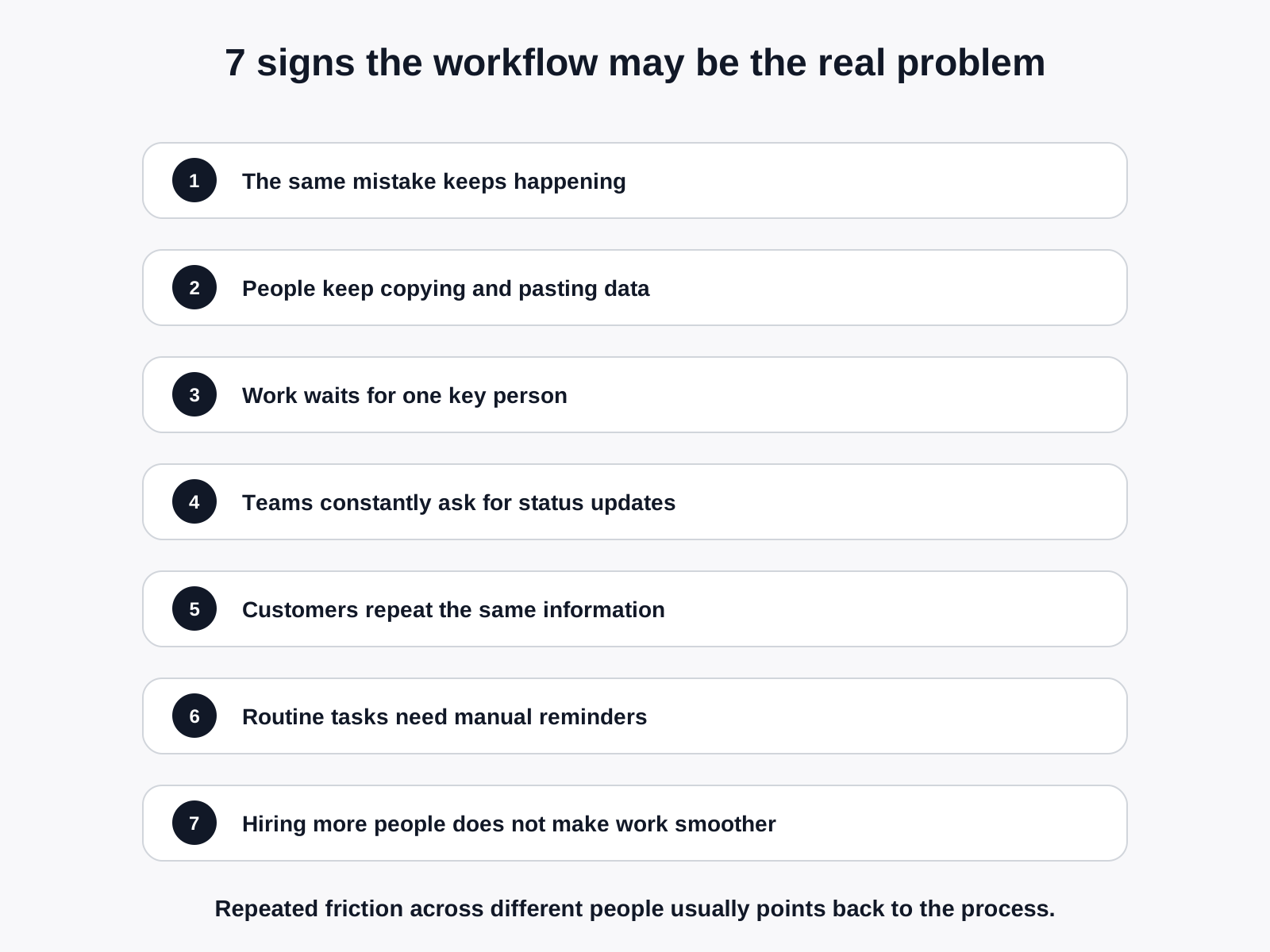
1. Different people keep making the same mistake
One employee makes an error and it may be a training issue.
Three employees make the same error in the same process and it is worth looking deeper.
For example, imagine a customer changes their delivery address. The sales team updates the CRM, but the operations team works from a separate spreadsheet. The old address stays in the spreadsheet and the delivery goes to the wrong place.
The obvious reaction is:
The better question is:
If the process creates an easy opportunity for the same mistake to happen repeatedly, retraining people may only reduce the symptoms.
It does not remove the cause.
2. Your team spends a surprising amount of time copying and pasting
Copying information from an email into a spreadsheet.
Moving contact details from a form into a CRM.
Creating an invoice from information already entered somewhere else.
Reformatting the same data for a weekly report.
None of these tasks looks serious on its own. But repeated every day, across several people, they can quietly consume a meaningful amount of working time.
They also create more opportunities for:
- typos
- missing fields
- outdated information
- inconsistent formatting
- forgotten steps
A useful rule of thumb is:
That does not mean every transfer should be automated. It means repeated digital handoffs deserve a closer look.
3. Work regularly waits for one person
Many small businesses have a person who becomes the unofficial centre of everything.
Quotes need their approval.
Customer complaints go through them.
Only they know which spreadsheet is current.
Everyone asks them where a document lives.
They may be excellent at their job, but the business has created a bottleneck around their knowledge or approval.
This becomes especially obvious when they:
- take leave
- get sick
- become overloaded
- leave the business
- need to focus on higher-value work
The solution is not always "hire another person".
Sometimes the better solution is to make the process easier to follow without them.
That might mean clearer rules, shared information, automatic routing, standard templates or better visibility into where work is sitting.
4. People are constantly asking for status updates
"Has the quote gone out?"
"Did the client approve it?"
"Who is dealing with this?"
"Has finance received the paperwork?"
"Where are we with that order?"
If these questions are a normal part of the workday, the business may have a visibility problem.
People should not need to interrupt one another just to discover the current status of routine work.
A healthier workflow makes basic questions easy to answer:
- What stage is this at?
- Who owns the next step?
- What information is missing?
- How long has it been waiting?
- What needs attention today?
Sometimes the fix is a better dashboard.
Sometimes it is a shared system.
Sometimes it is simply agreeing on one place where the status is recorded.
AI or automation may help later, but first the business needs a clear source of truth.
5. Customers have to repeat themselves
This is one of the easiest workflow problems for a customer to notice.
They submit information through a form, then give the same details to someone on the phone.
They explain an issue to support, then explain it again when the request gets passed to another person.
They send documents, only to be asked for them again.
Internally, this may feel like a minor coordination problem.
To the customer, it can feel as if the business is not listening.
Repeated questions usually point to one of three things:
- information is trapped in separate systems
- teams cannot easily see what has already happened
- the handoff between stages is incomplete
Improving that handoff can often improve the customer experience without changing the actual service being delivered.
6. Simple work requires too many reminders and follow-ups
Every business has tasks that need a human reminder occasionally.
The warning sign is when reminders become part of the process itself.
For example:
- someone must remember to chase every unpaid invoice
- a manager has to remind staff to update the same weekly report
- sales needs to manually follow up every untouched enquiry
- operations repeatedly asks for missing information before work can begin
- someone keeps a personal list because the official system cannot be trusted
At that point, memory is functioning as business infrastructure.
That is risky.
Good workflows do not remove human judgement. They reduce the amount of routine work that depends on someone remembering the next step.
7. Hiring more people makes the business busier, but not smoother
Growing businesses often respond to pressure by adding people.
Sometimes that is exactly what is needed.
But if each new employee enters a messy process, the business can end up scaling the mess.
More people create more:
- handoffs
- messages
- coordination
- duplicate data
- approvals
- versions of documents
- opportunities for something to get missed
Before deciding that a team is understaffed, it is worth asking:
That is a very different question.
Workflow problem or people problem? A quick comparison
| What you notice | More likely a people problem | More likely a workflow problem |
|---|---|---|
| The issue follows one employee | Yes | Less likely |
| Different employees make the same mistake | Less likely | Yes |
| Work stops when one person is unavailable | Sometimes | Often |
| Staff constantly copy data between systems | No | Yes |
| Customers repeatedly provide the same information | No | Yes |
| The same task requires frequent chasing | Sometimes | Often |
| New hires quickly run into the same frustrations | Less likely | Yes |
| Performance improves after clear coaching | Often | Sometimes |
| The process is difficult to explain consistently | No | Yes |
The distinction is not always clean.
A business can have both a process problem and a performance problem at the same time.
The point is not to excuse poor performance. It is to make sure you are fixing the right thing.
A simple workflow test
Choose one recurring task that frustrates your team.
Then answer these seven questions:
- Where does the task start?
- Where does it end?
- How many people touch it?
- How many systems are involved?
- Where is information entered more than once?
- Where does somebody need to remember, chase or approve something?
- Where does the task usually slow down or go wrong?
You do not need sophisticated process-mapping software.
A whiteboard, sheet of paper or shared document is often enough to reveal the obvious friction.
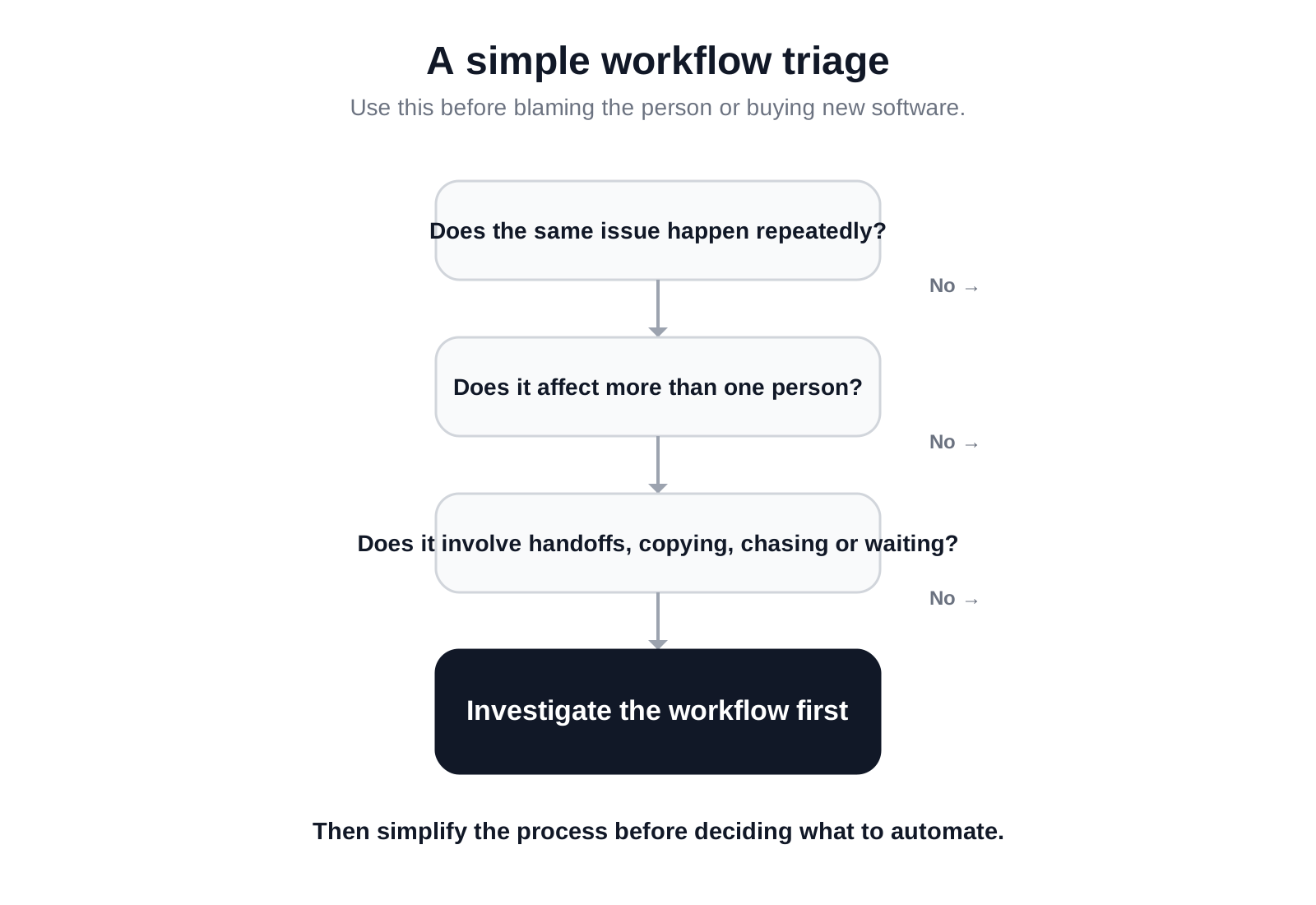
Do not automate a bad process too quickly
Once a business spots repetitive work, the natural reaction is often:
"Can we automate this?"
Sometimes, yes.
But automation should not be the first question.
A better order is:
- Understand the process
- Remove unnecessary steps
- Clarify ownership
- Decide what genuinely needs human judgement
- Then automate the repetitive parts
Automating a confusing process can simply make the confusion happen faster.
The strongest opportunities are usually tasks that are:
- repetitive
- rules-based
- high-volume
- easy to define
- spread across multiple tools
- dependent on manual data transfer
- vulnerable to missed follow-ups
Human judgement should stay where it adds value.
Routine admin does not need to stay manual simply because that is how the business has always done it.
Where AI fits into the picture
AI is useful when a workflow involves information that is difficult for traditional automation to handle neatly.
For example, AI can help:
- classify incoming enquiries
- summarise long messages or documents
- extract information from unstructured text
- draft routine responses for human review
- route work based on what a customer is asking for
- turn meeting notes into structured actions
- identify missing information before a process continues
But AI is not automatically the answer.
Sometimes the biggest improvement is connecting two existing systems.
Sometimes it is removing a spreadsheet.
Sometimes it is giving a team one reliable place to work.
And sometimes it is deciding that a human should continue doing the task.
The useful question is not:
"Where can we add AI?"
It is:
"Where is work unnecessarily slow, manual or fragile, and what is the simplest sensible way to improve it?"
That is a much better starting point.
What to look at first in your own business
If you want to find workflow problems quickly, start with work that creates one of these reactions:
- "Why do we still do this manually?"
- "I thought someone else had done it."
- "Where is the latest version?"
- "Can you send me that again?"
- "Who is handling this?"
- "I forgot to follow up."
- "We need another spreadsheet."
- "Only Sarah knows how that works."
Those sentences are useful clues.
Each one points to a process that may be relying too heavily on memory, manual effort or hidden knowledge.
Frequently asked questions
What is the difference between a workflow problem and a staffing problem?
A staffing problem usually means there is genuinely more work than the available team can reasonably complete. A workflow problem means some of that capacity is being lost to unnecessary steps, poor handoffs, duplicate work, unclear ownership or disconnected systems.
The two can exist together, which is why it helps to examine the process before automatically hiring.
How do I know if my business needs automation?
Look for tasks that happen frequently, follow predictable rules and require repeated manual actions such as copying data, sending reminders, updating records or moving information between systems.
If a task is highly variable and depends heavily on judgement, full automation may not be appropriate.
Can AI fix a bad business process?
AI can improve parts of a process, but it cannot make an unclear workflow clear by itself. If responsibilities, rules or desired outcomes are poorly defined, adding AI can create more complexity.
Map and simplify the workflow first. Then decide where AI or automation genuinely helps.
What business processes are easiest to improve first?
Start with processes that happen often and cause visible frustration. Common examples include enquiry handling, lead follow-up, quoting, invoicing, onboarding, reporting, customer support and internal approvals.
These processes usually have clear inputs, repeatable steps and measurable outcomes.
Do small businesses need expensive software to improve workflows?
No. Many workflow improvements come from using existing tools better, connecting systems that already exist, removing duplicate steps or clarifying where information should live.
The goal is not to add more software. It is to make the work simpler.
The bigger question
When a business feels overloaded, it is tempting to look first at headcount.
Sometimes the business genuinely needs more people.
But before adding another salary, another inbox and another layer of coordination, it is worth checking whether the existing team is spending too much time working around the process itself.
A well-designed workflow does not replace good people.
It gives good people more time to do the work you actually hired them for.
If you suspect that manual admin, disconnected systems or repetitive processes are consuming too much of your team's time, the allmi AI Efficiency Assessment is designed to identify where the friction is, what is worth fixing, and where AI or automation could genuinely help.